AI Product Design Case Study
AI Skill & Career Navigator
An AI-powered concept that helps users identify skill gaps, understand where they stand, and generate a personalized learning roadmap toward their next career goal.
Project overview
Helping users move from career uncertainty to a clear plan
AI Skill & Career Navigator was designed as a guided product experience for people who know they want to grow, switch careers, or level up, but do not know what to learn next.
Instead of showing generic course lists, the concept uses AI to analyze goals, current skills, and missing capabilities, then turns that into transparent recommendations and a structured learning path.
Problem
Most people do not know what they need to learn next
Professionals often struggle to understand which skills matter most for their next role. Existing learning platforms provide content, but rarely give users a personalized path based on where they are today and where they want to go.
“Too many courses, too many opinions, and no clear roadmap.”
Research & framing
Discovery focused on opportunity, users, and success signals
I used a lightweight discovery process documented in Notion to define the product opportunity, clarify user needs, and shape the initial direction before moving into structure and UI.
Target users
Career switchers and professionals looking to grow in their current field.
Product opportunity
Use AI to connect goals, current skills, and missing capabilities into a clear learning path.
Success metrics
Increase clarity, reduce decision fatigue, and help users take a concrete next step.
Persona
Primary user: the career switcher
This concept was primarily shaped around users who feel motivated to move into a new role, but lack a trusted system that shows their current position, the gap to their target role, and what to learn first.
- Goal: Move into a UX Designer role
- Challenge: Unsure which skills to prioritize
- Need: A guided, personalized learning roadmap
Use Case
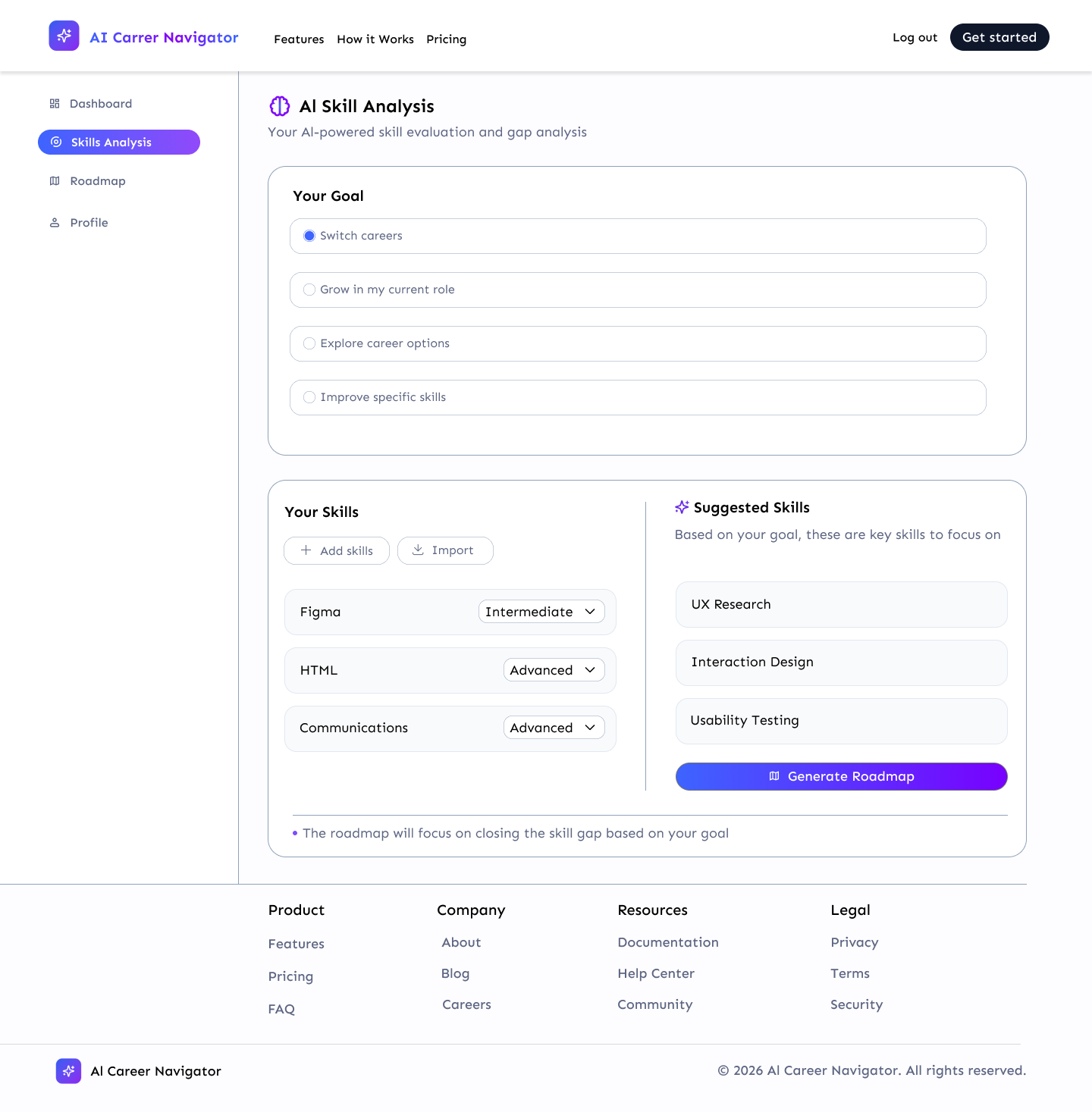
Maria, a Junior Designer, wants to become a UX Designer but doesn’t know what to focus on next.
- She has basic Figma and HTML knowledge
- She is unsure which skills matter most
- She wastes time jumping between resources
- She needs a clear, step-by-step roadmap
Structure
User flow and information architecture
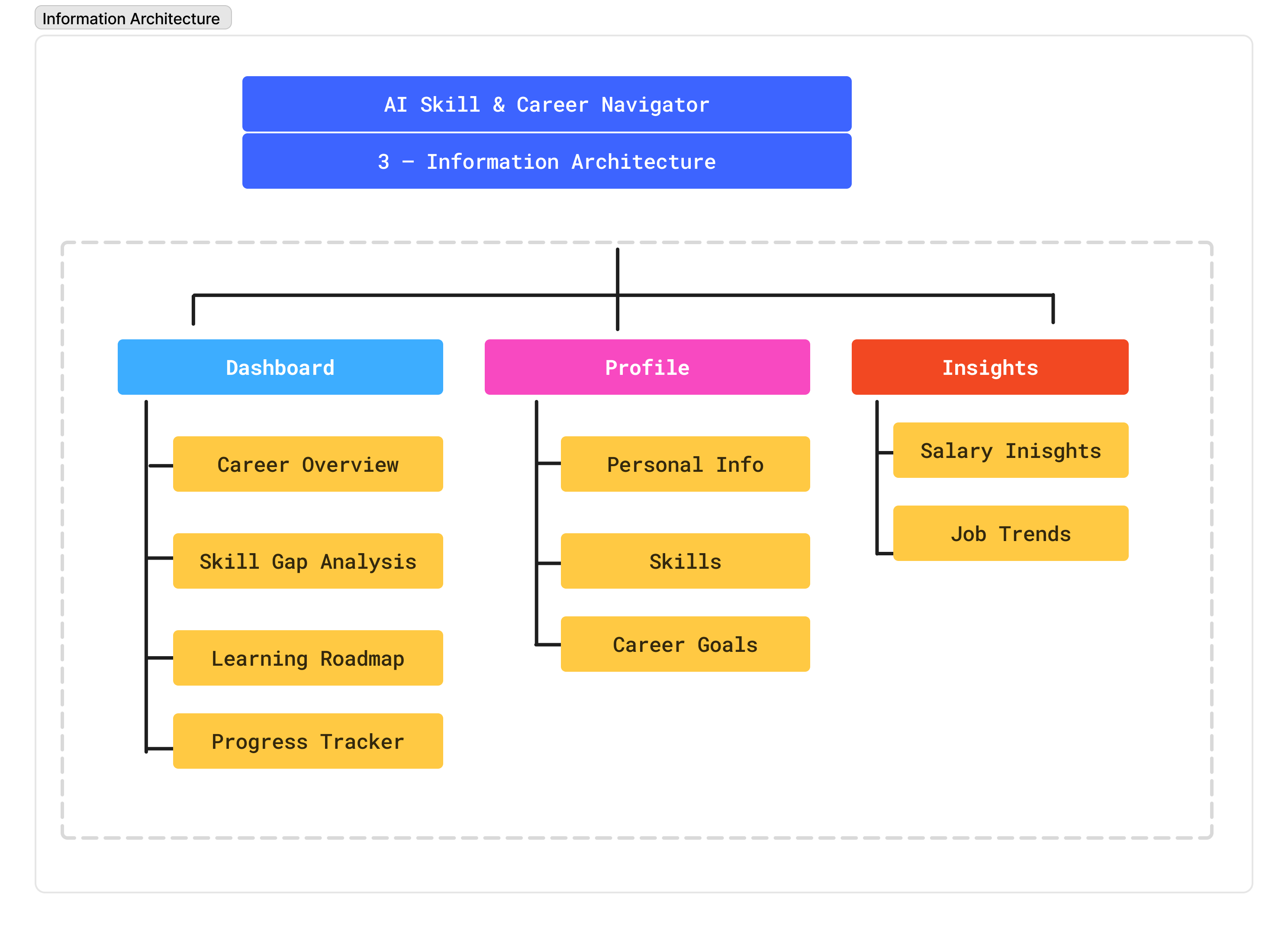
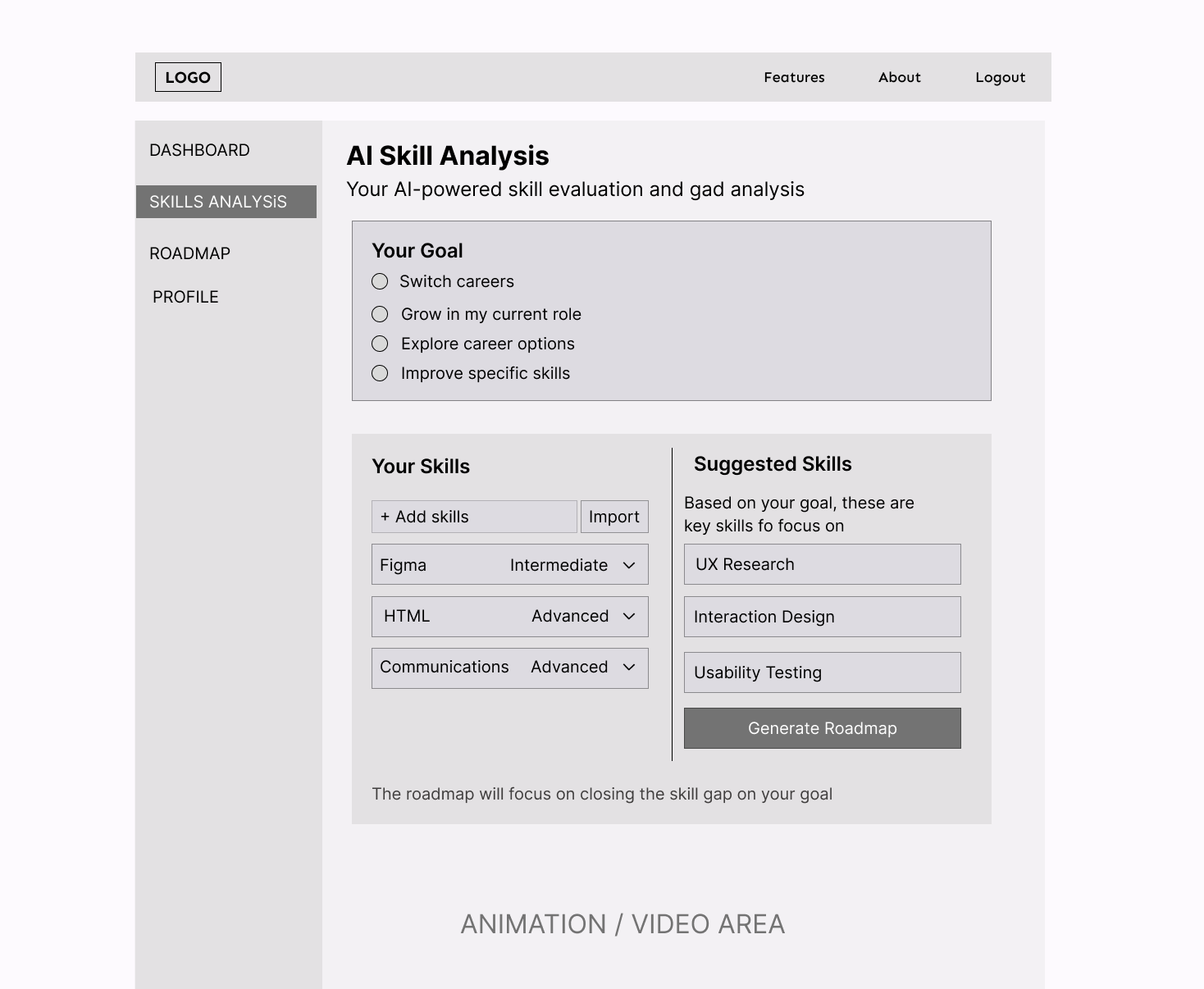
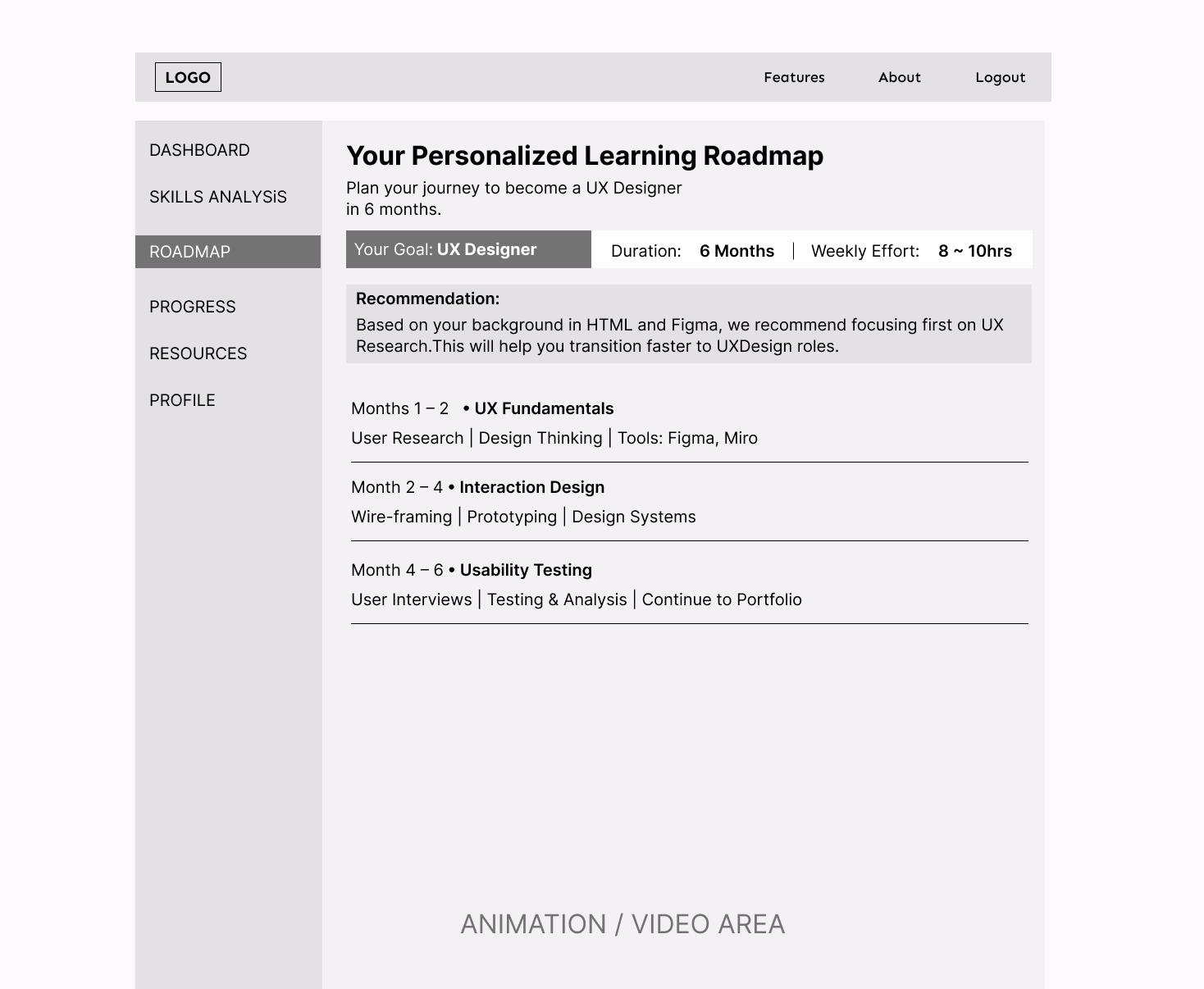
I mapped the core product journey in FigJam before moving into wireframes. The flow was intentionally simple: help users understand where they are, identify what is missing, and guide them toward a clear next step.
01
User journey
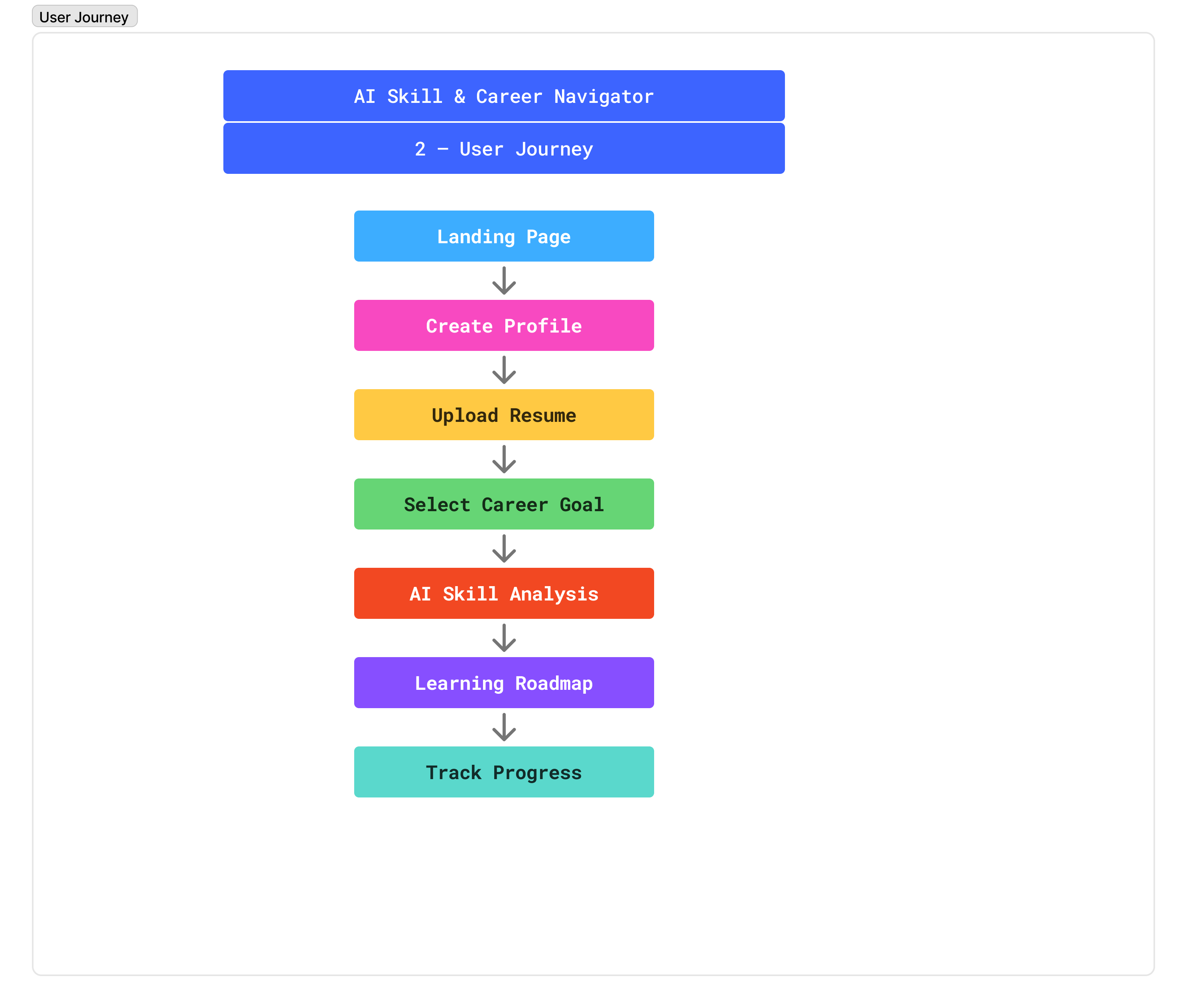
The experience starts by capturing the user’s background and goals, then transitions into AI-driven analysis and finally a structured learning roadmap.
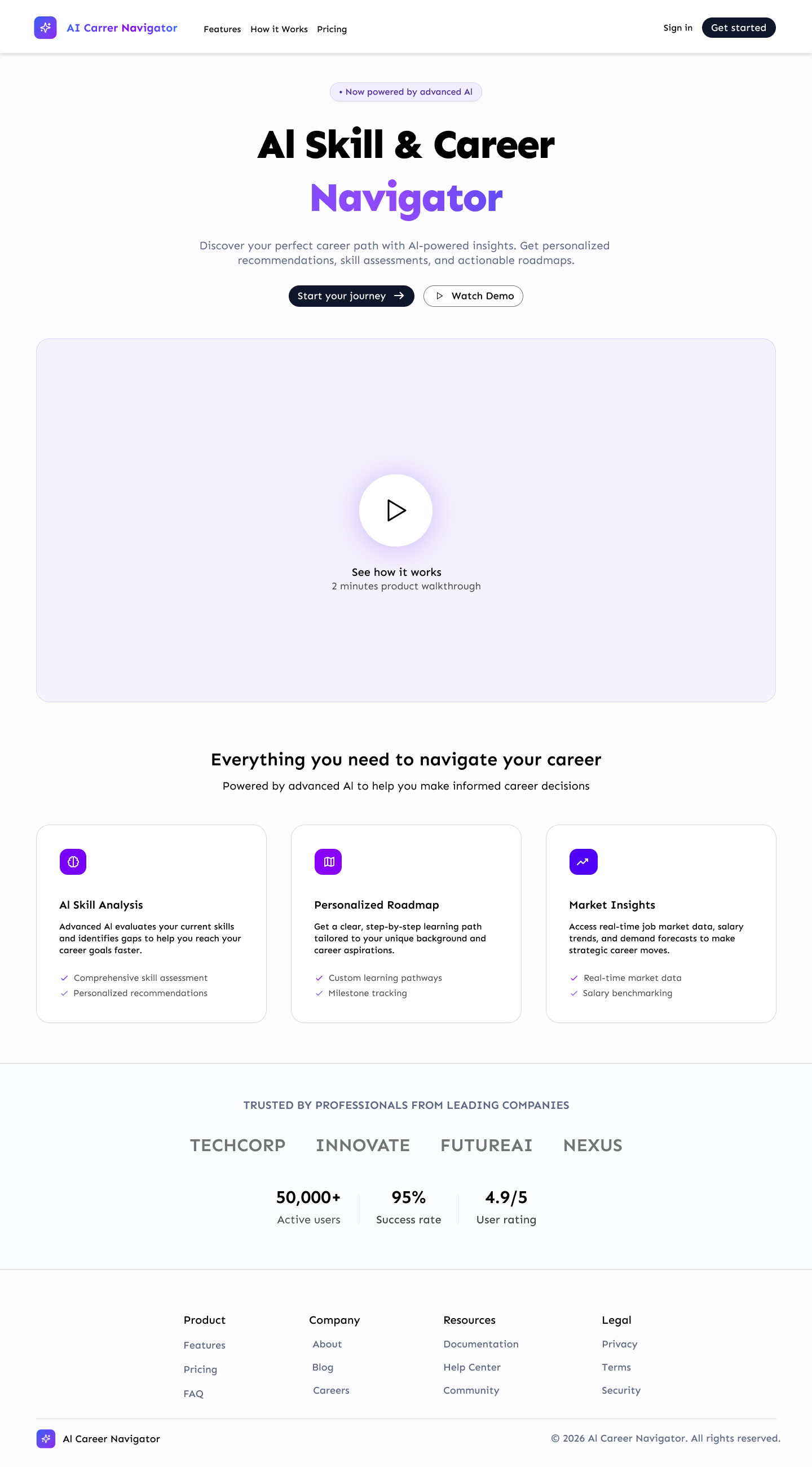
- Landing page → understand value
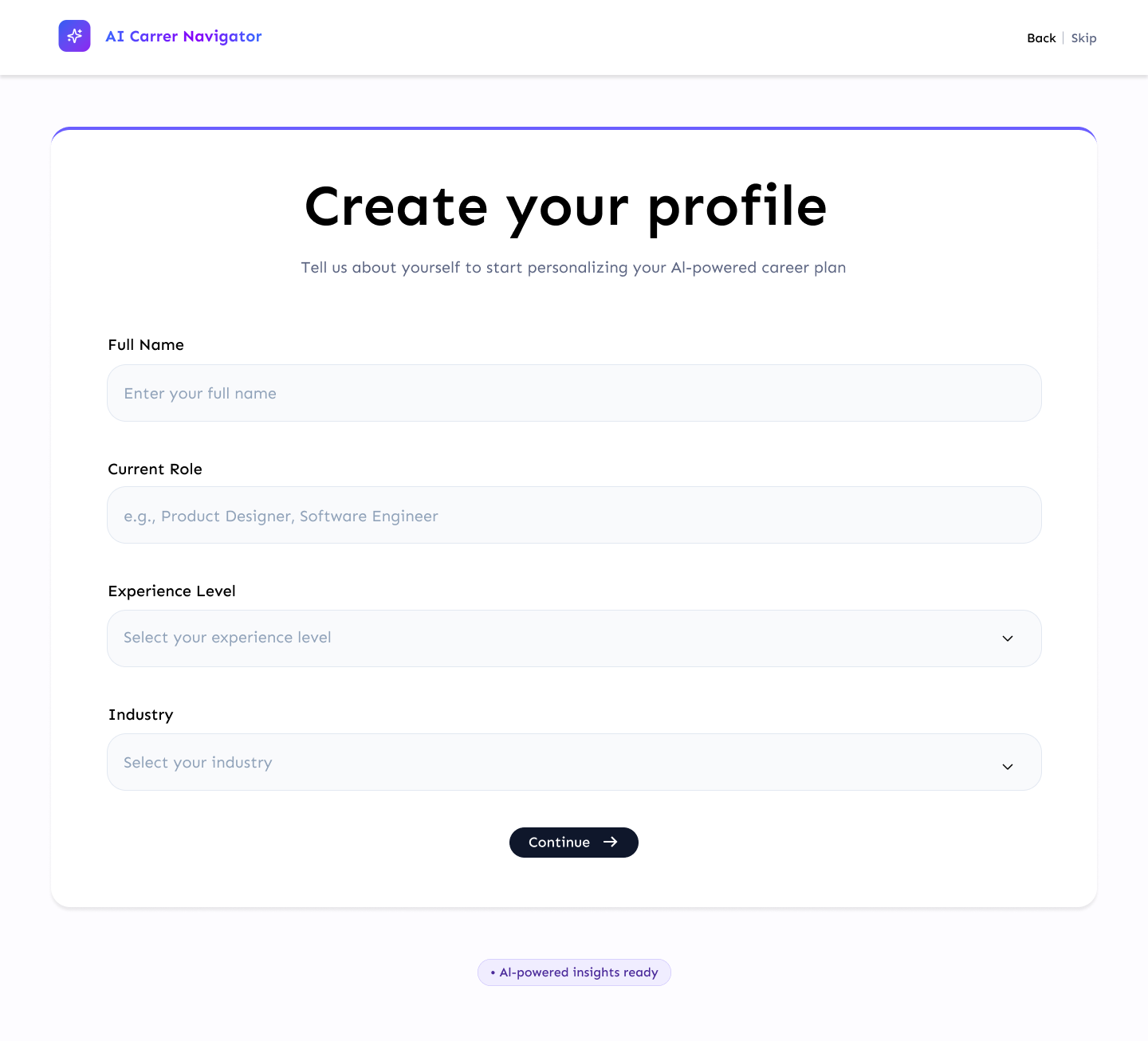
- Create profile → capture context
- Upload resume / select goal
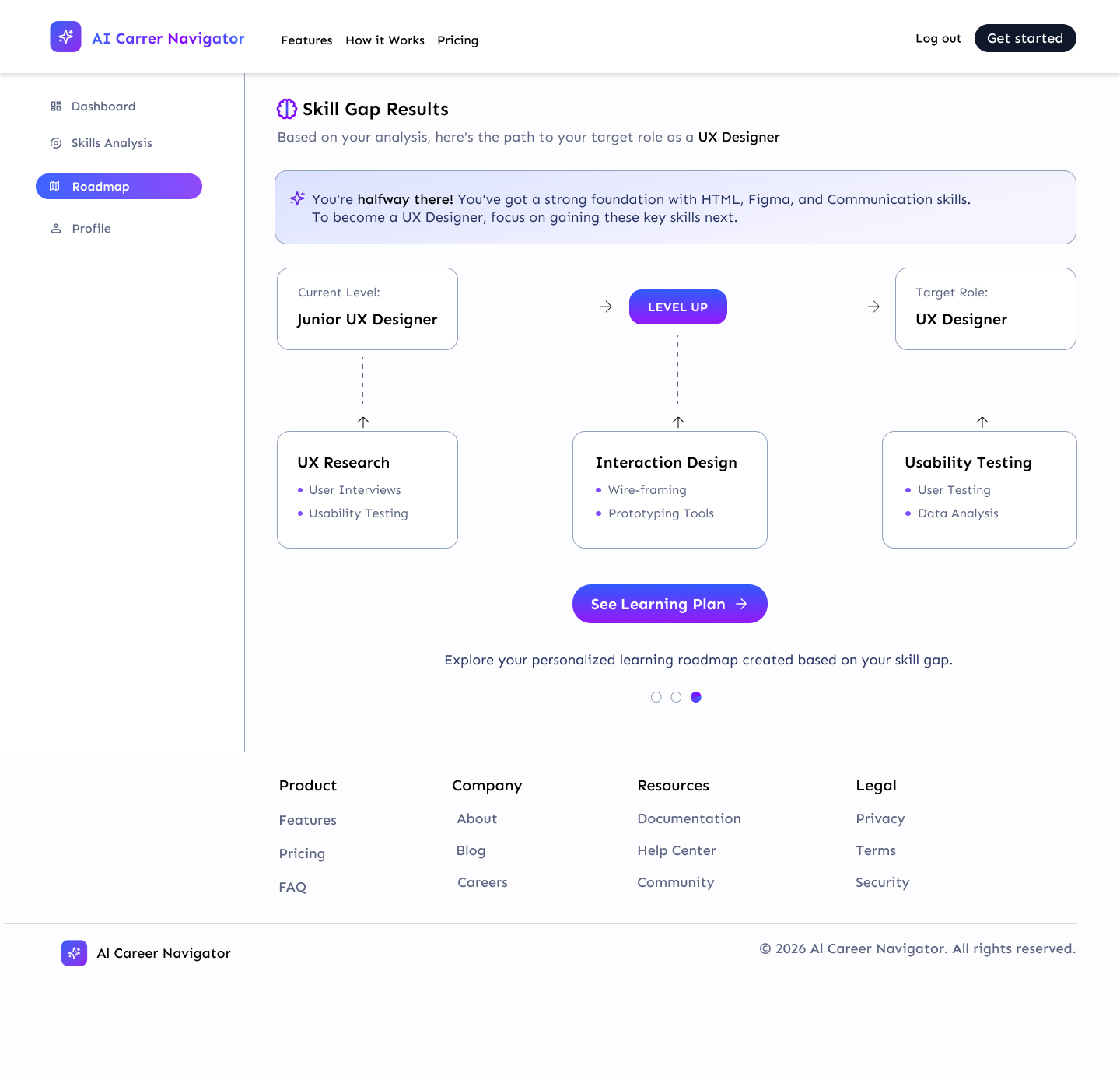
- AI skill analysis → identify gaps
- Learning roadmap → guided next steps
- Track progress over time
02
Core features
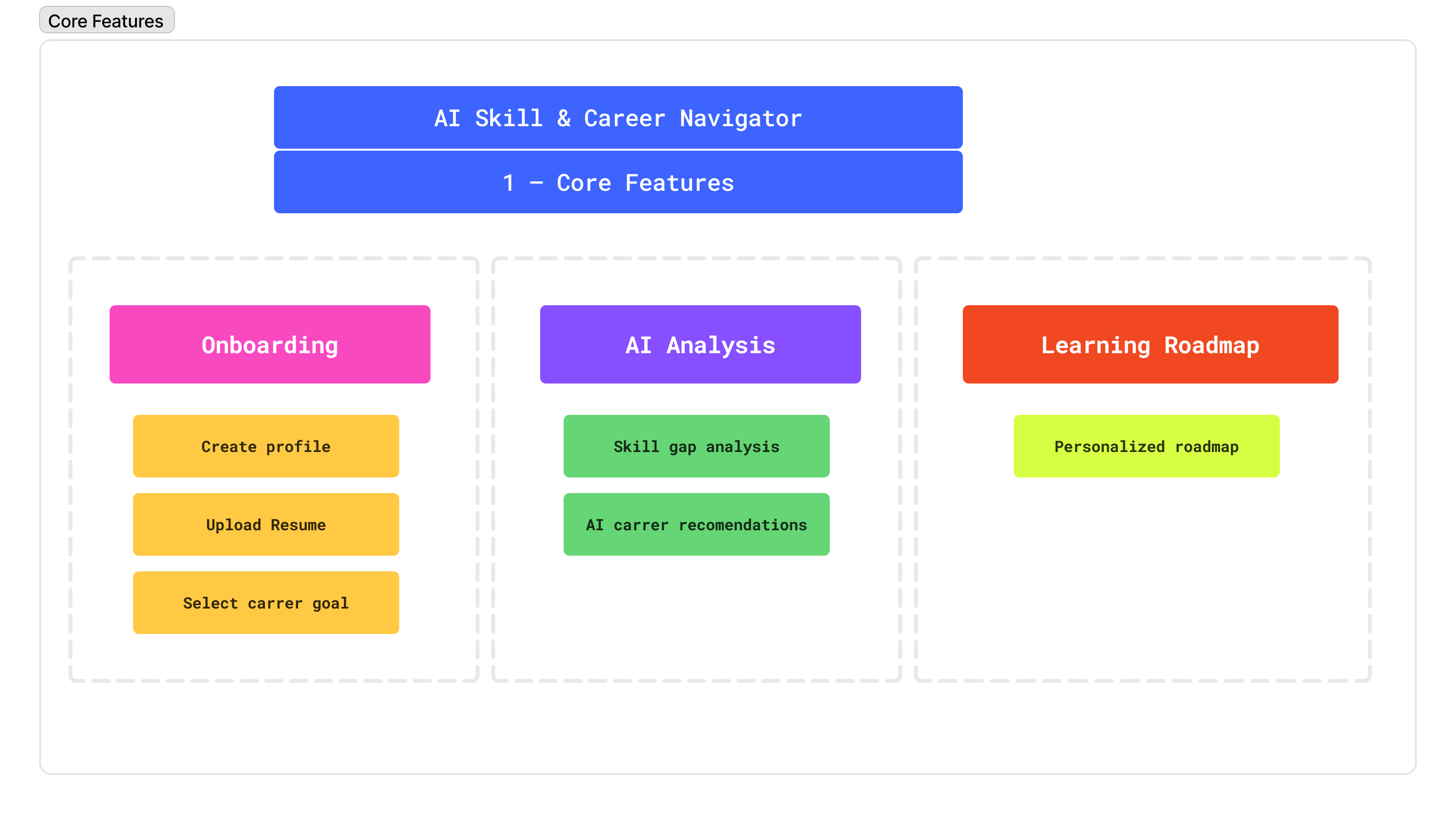
The product is structured around three key areas: onboarding, AI-powered analysis, and roadmap generation.
- Onboarding → profile, resume, goals
- AI Analysis → skill gap + recommendations
- Learning Roadmap → personalized plan
Final UI
High-fidelity design focused on trust and clarity
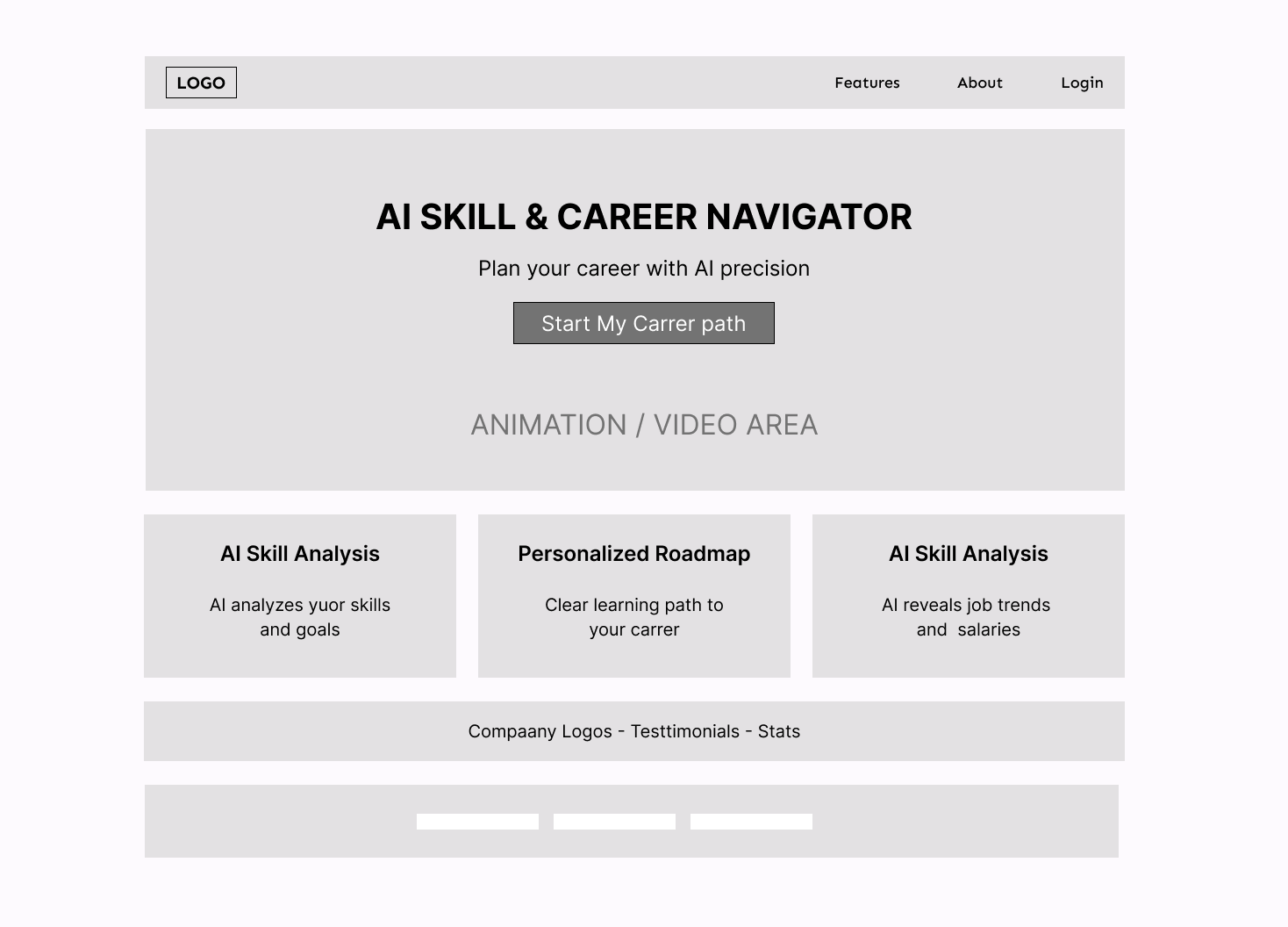
The final interface uses a clean AI SaaS visual language to make the product feel intelligent without becoming overwhelming. I focused on straightforward layout, transparent system feedback, and a guided next step.
Prototype
Interactive prototype created with AI-assisted tooling
After creating the high-fidelity UI in Figma, I used Figma Make to quickly turn the concept into an interactive experience. This helped me move faster from static screens to a usable prototype that shows the product journey end-to-end.
Prototype link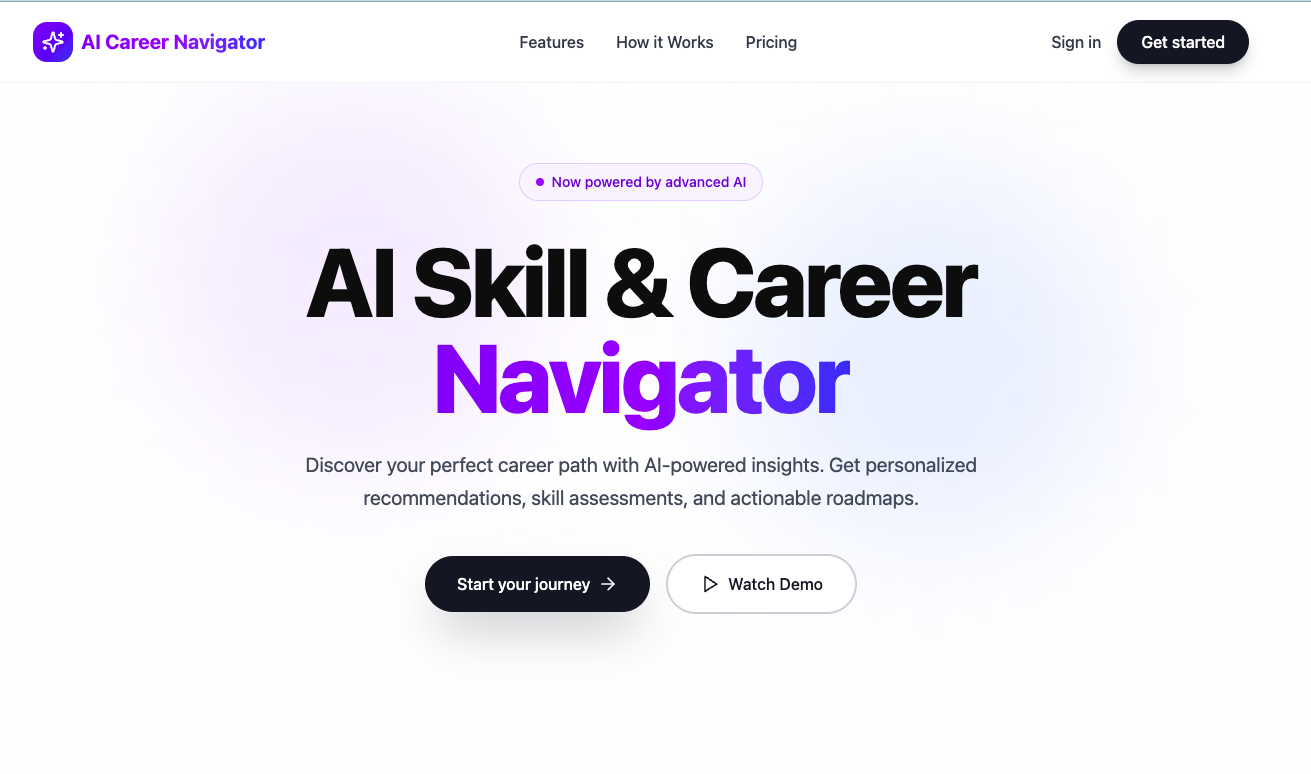
AI workflow
How AI accelerated the product design process
This project was intentionally built to demonstrate how AI can support modern product design workflows, from early concept framing to rapid UI generation and interactive prototyping.
1. Discovery
Used AI to structure the problem, user needs, and opportunity areas before creating product direction in Notion.
2. Product definition
Organized core features, user journey, and information architecture in FigJam to create a clear system before visual design.
3. UI generation
Leveraged AI-assisted prompting and Figma Make to accelerate high-fidelity screens while preserving product structure and intent.
4. Prototype
Used AI-generated interactions and iterative prompt refinement to create a functional prototype faster than a traditional manual flow.
Results / impact
A concept project designed to show speed, clarity, and modern workflow thinking
While this was a concept project, it demonstrates an end-to-end product design process with a strong focus on AI-assisted execution.
- Designed a full product flow from discovery to prototype
- Used AI to accelerate design exploration and interaction building
- Showed transparent AI reasoning before presenting recommendations
- Created a case study that reflects how AI can support product teams today